
Zerodha, a popular Demat account service provider, now allows you to update or change the mobile number registered with your Zerodha Demat account through the Kite mobile application. If you have lost your current mobile number or want to change it for any reason and register a new mobile number with your Zerodha account, you can complete the process online, which is completely paperless and takes only 5 minutes.
In this article, we will provide you with a step-by-step guide on how to register a new mobile number with your Zerodha Demat account. Even if your current mobile number is unavailable, you can still register your new mobile number by following the instructions in this guide. Read this: How to Add Nominee Online in Zerodha Demat Account
Update Your Zerodha Account Registered Mobile Number Online
(Step 1) Login to Zerodha Kite, and open the profile section from the user icon located at the bottom right corner.
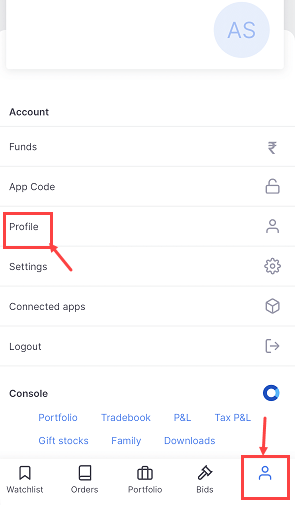
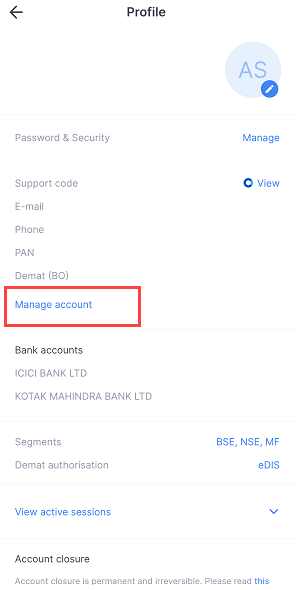
(Step 2) When you open the profile screen you will find the “Manage Account” option there, tap to open this option and you will be redirected to your browser.
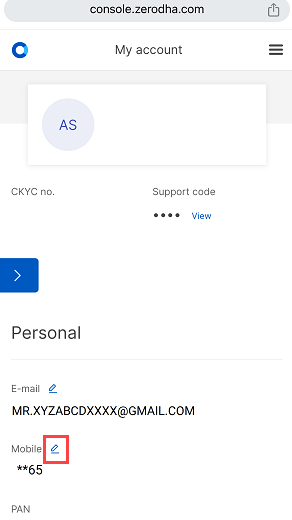
(Step 3) Now click on the Edit button to change or register a new mobile number with your Zerodha Demat account.
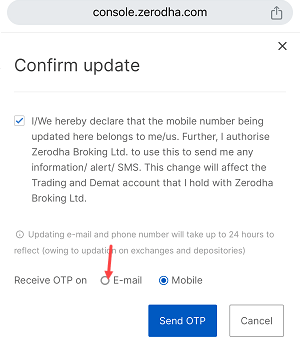
(Step 4) Next screen select your preferred option Email OR Mobile to receive OTP. If your current registered mobile number is unavailable, you can select the Email option to get OTP to your registered email ID.
(Step 5) Next screen enter the OTP sent to your selected mode mobile or Email ID and tap on verify button.
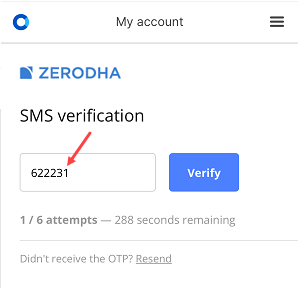
(Step 6) Enter your 10-digit new mobile number without country code and tap on the continue button.

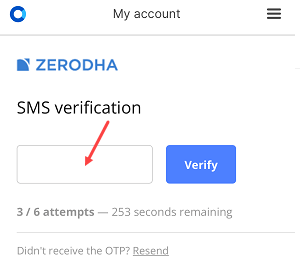
(Step 7) You will receive another OTP on your new mobile number for verification. Enter the OTP and verify your new mobile number.
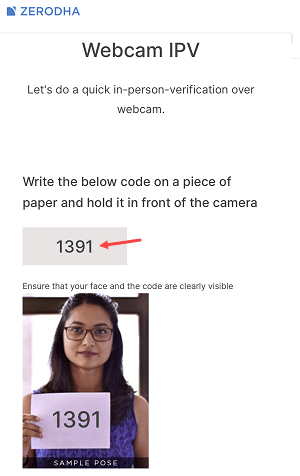
(Step 8) It’s time to complete the In-person Verification (IPV). Please write the specified code on a piece of white paper in large letters and take a photo of yourself holding the paper with your face clearly visible. You can access the camera by clicking on the capture button. Once you have taken the perfect photo, click on the submit button to complete the process.
(Step 9)Upon completing the in-person verification by submitting a photo with a white paper, your request to update your mobile number will be submitted to Zerodha. You will also receive a notification via email.
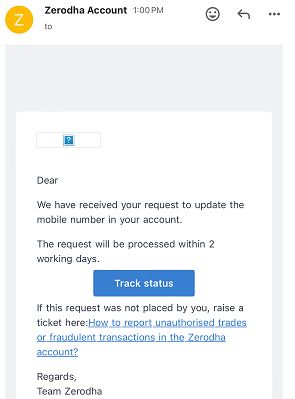
(Step 10) Your mobile number will be updated on the same day. You will receive an email and SMS on your new number.
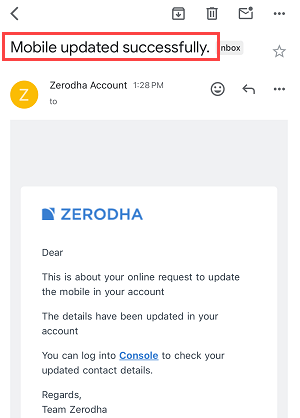
After successfully registering your new mobile number with your Zerodha Demat account, all your OTPs and transaction messages will be sent to your new number. Additionally, your CDSL account will also be updated with your new number within 2 working days. You will receive a confirmation email from CDSL once the update is complete.