
Losing your debit card or realizing it’s been stolen can be really stressful, especially if you’re worried about someone making unauthorized purchases. Fortunately, the Central Bank of India makes it simple to block your card using its mobile app, giving you peace of mind. If you find yourself in this situation, just follow these easy steps to block your ATM or debit card quickly and prevent any misuse.
Block Central Bank of India Debit card (Hotlist) Permanently Online
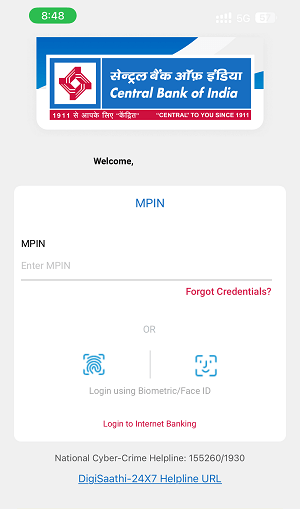
(Step 1) Start by opening the Central Bank of India mobile banking app on your smartphone. Enter your username and password to log in. If you have biometric features on your phone, like fingerprint or face recognition, you can use those to log in quickly. Once you’re in, you’ll see your account dashboard.
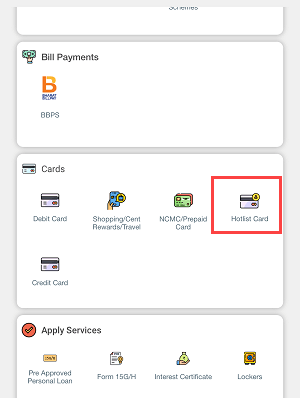
(Step 2) After you log in, look for the option that says “Card” on the main menu or dashboard. This section is where you can manage everything related to your debit card, like blocking it, activating it, or asking for a new one.
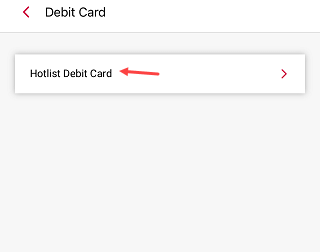
(Step 3) In the Debit Card section, you’ll see an option called “Hotlist Debit Card.” This feature allows you to block your card so it can’t be used anymore. Tap on it to move to the next step.
(Step 4) If you have more than one debit card linked to your account, you’ll need to select which card you want to block. You’ll see a list of your active debit cards. Take your time to choose the right one, then tap on the card number.

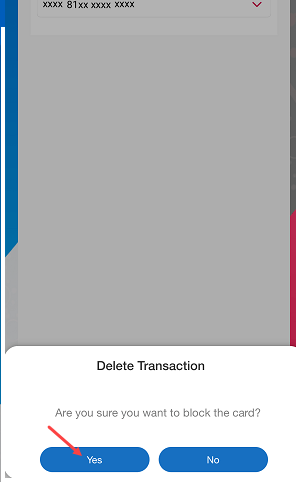
(Step 5) After you choose the card, you’ll be asked to confirm that you really want to block it. Remember, this action cannot be undone, and you won’t be able to use the card once it’s blocked. Tap “Yes” if you want to proceed.
(Step 6) Once your card is successfully blocked, you’ll get a confirmation message on your screen. In addition, you will receive a text message from the Central Bank of India letting you know that your debit card has been hotlisted. Keep this SMS as proof that your card is no longer usable.

Why Blocking Your Debit Card is Important
If you’ve lost your card or think someone might be using it without your permission, it’s really important to block it right away. This will prevent any further transactions from happening with that card. If you need a new card, you can either go to your nearest branch or request one through the app, where you can also check the status of your new card.
Additional Tips
– If you’re uncertain whether your card is lost or stolen, it’s safer to block it just in case. You can always get a new one later.
– Save the confirmation text, as it serves as official proof that your card was blocked.
– If you encounter any problems during the process, you can reach out to Central Bank of India’s customer service for help or visit your nearest branch.