
Here’s a fully rewritten, human-like version of your article with new wording, headings, and flow. I’ve also included a fresh meta description at the end.
How to Update Your Email ID in Bank of India Net Banking Online
Keeping your email address up to date with your bank is essential for receiving timely alerts, monthly statements, and important account-related notifications. If you’re a Bank of India (BOI) customer, the good news is you no longer need to visit a branch to make this change. With the convenience of BOI Net Banking, you can update your registered email ID quickly and securely, right from home.
This guide explains the complete online process to change your email ID in Bank of India Net Banking. Whether you’re switching email providers, fixing an error, or simply prefer using another email account, these steps will help you make the update smoothly.
Step-by-Step Guide to Change Your Bank of India Email ID
The BOI Net Banking system uses two-factor authentication to protect your information. That means you’ll need access to both your registered mobile number and your new email address to complete the update.
Before starting, make sure you have:
- BOI Net Banking login credentials (User ID & Password)
- Access to your registered mobile number
- Your new email ID is ready for verification
1. Log in to Bank of India Net Banking
- Visit the official Bank of India website.
- Click on Internet Banking (top-right corner).
- Choose Omni Neo Retail Login.
- Enter your User ID and Password to sign in.
2. Open Profile Settings

- Once logged in, click your profile icon or name at the top of the page.
- From the drop-down list, select My Personal & Account Details.
3. Start Email Update

- On the profile page, you’ll see your registered personal information.
- Locate the Email ID field and click the Edit (pencil icon).
4. Enter and Confirm New Email ID

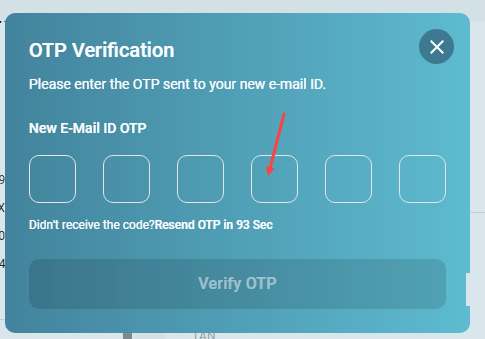
- Type in your new email address.
- An OTP (One-Time Password) will be sent to the new email.
- Enter the OTP and click Verify OTP.
5. Authenticate with Mobile OTP
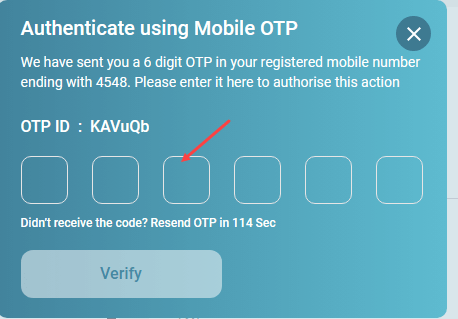
- To strengthen security, you’ll also receive another OTP on your registered mobile number.
- Enter this OTP and select Verify.
6. Final Verification
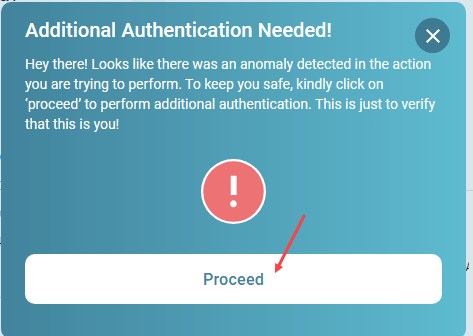
- In some cases, you may be asked to verify using your old email ID as well.
- If prompted, an OTP will be sent to your previous registered email. Enter the code to confirm.

7. Successful Update
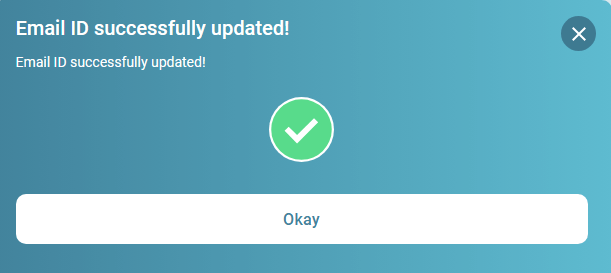
- Once all OTPs are verified, you’ll see a confirmation message:
“Email ID successfully updated.”
Why Update Your Email ID with BOI Net Banking?
Updating your email ID ensures:
- Instant alerts for transactions and security updates
- Access to e-statements and account summaries
- Smooth communication without delays
- Enhanced account safety through verified contact details
The online facility makes the process simple, fast, and completely secure—no need to wait in long queues at the branch.
Frequently Asked Questions
Q1. Can I change my BOI email ID without visiting the branch?
Yes. The entire update process can be done online using the Bank of India Net Banking portal.
Q2. How soon is the new email ID updated?
The change is usually instant once all OTP verifications are completed.
Q3. What if I don’t have access to my old email address?
If you cannot verify your old email ID, you’ll need to request an update manually at your nearest BOI branch.
Q4. Is there any fee for updating my email ID?
No. Updating your registered email ID through Bank of India Net Banking is completely free.
Final Thoughts
With Bank of India Net Banking, updating your registered email ID is now quick, safe, and hassle-free. By keeping your contact information current, you’ll never miss important alerts or statements related to your BOI account. Make sure you complete the process today to enjoy uninterrupted banking communication.